Honestly I’ve never found a game where the track pads on the steam deck were ever actually… Useful compared to the normal thumbsticks. Or any games where they actually worked decently as a track pad for a cursor.
Aiming is way more precise. Not as good as motion aim + Joystick, but there is also no other controller that can dynamically activate motion aim depending on how you touch the Joystick.
It’s essential for navigating menus and windows. Both on a desktop or browser, as well as in any game that clearly has a layout for use with a mouse. I played GuilWars2 on my SteamDeck just fine, thanks to the trackpad (and abundance of modifier keys).
Absolutely essential in Strategy games, where you have to select one of multiple units, pick fields …
I don’t get, how people can do this with a Joystick. I know, some of the games are available on console too and work completely with joystic, but it’s just so cumbersome and unintuitive, compared to the trackpad.
What I also used in Guildwars, is the radial menu from Steam, to bind hotkeys to nested menu entries, easy to navigate on the otherwise unused left trackpad. I basically went in and added something like that to most games I play on the Deck.
People seem to like the idea of just having to use when they need mouse input instead of having to grab a mouse or using the touchpads to type something quickly over grabbing a keyboard. Useful if you are gaming in the living room, so more a convenience.
For gameplay others have liked setting up touch menus. Like for retroarch on the Steam Deck I set up a touch menu with short cuts to bring up the menu, select save states, rewind and fast forward.
And in my case I actually prefer to use the touchpads as primary inputs in FPS titles like The Finals. I set up the right touchpad so gyro is activated on touch, swiping to quickly turn, and setting up a dpad modeshift to act as a facebutton replacement by expanding the clicks from 1 to 5. So lets me not have to take my thumb off the right pad.
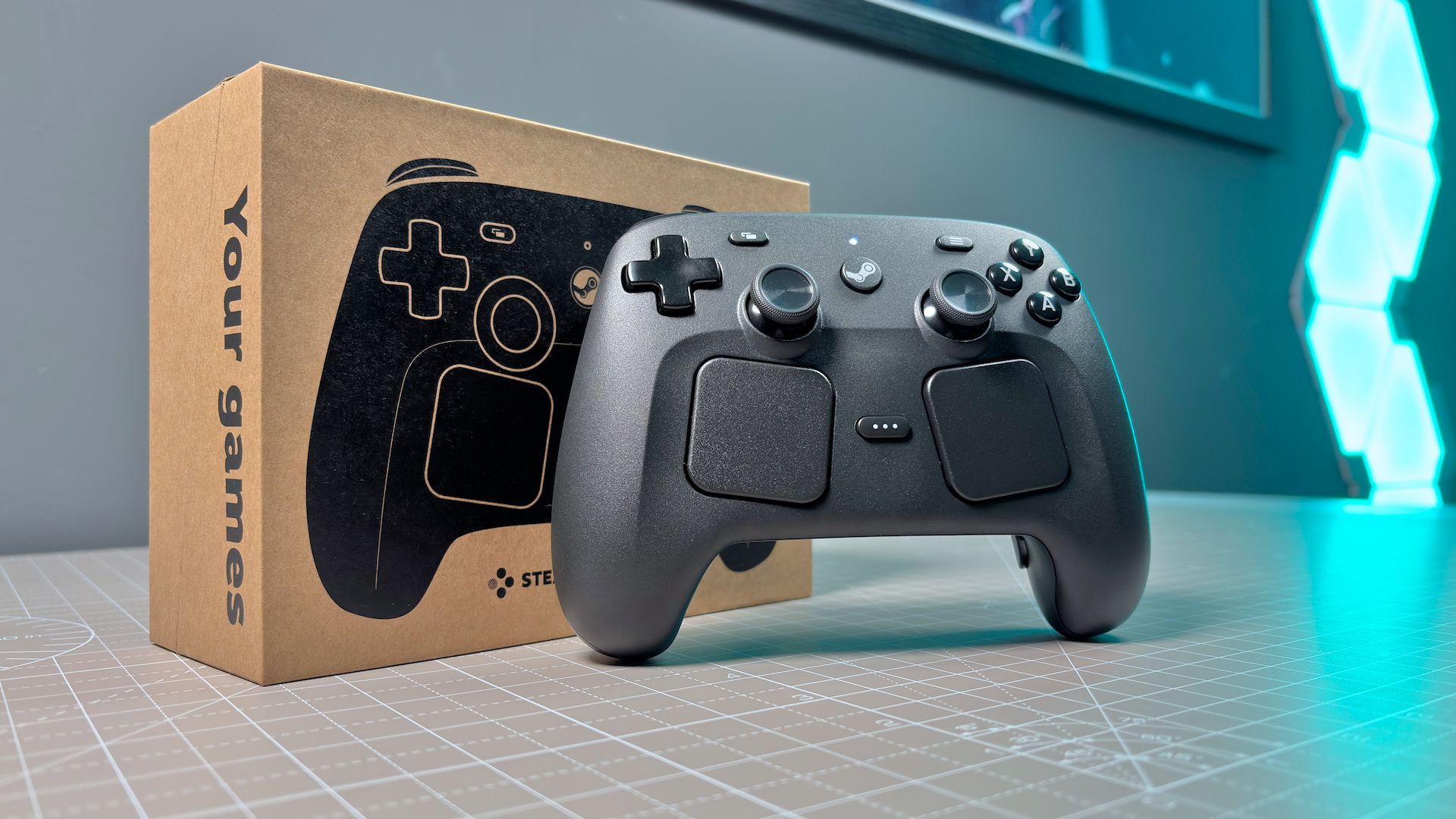
Not sure the ergonomics of the new Steam Controller will be good for dual pad gaming though, since didn’t find myself finding the Deck touchpads comfortable for that use case do to them being lower than the OG Steam Controller.
I’ve gotten use out of it in minecraft as a numpad. Add 9 buttons, mapped to 1-9, and you can get to any item in your hotbar without shoulder button spam. It’s basically the only way I use it but most of my steam deck hours are in minecraft so it balances out.
personally I like them a lot for cursors, it takes some getting used to but ig I’ve used laptop track pads a lot and I find it very comfortable and natural to use my thumb for it. definitely haven’t used it much for e.g. camera control in a 3d game though, feels awkward every time I’ve tried.
I play a ton of mouse driven games that don’t have gamepad support and it works great there. I would not even consider emulating the mouse with regular sticks, but with touchpad it’s very comfortable
Any game which uses the mouse as it’s main use, Abu game which needs buttons and hotkeys, Abu game which uses analogue input. I don’t think you’ve learned how to use it properly, and that’s okay but something to work on.
I use it for every first person game for example. It often requires some configuration effort to make it feel great. It’s a lot more precise and direct than sticks, especially when combined with gyro that activates on touch.
If you don’t want to spend time configuring control schemes and you don’t want trackpads or touch sensitive sticks, you’re much better off with a cheaper alternative.


Honestly I’ve never found a game where the track pads on the steam deck were ever actually… Useful compared to the normal thumbsticks. Or any games where they actually worked decently as a track pad for a cursor.
Genuinely what exactly is the point of them?
Aiming is way more precise. Not as good as motion aim + Joystick, but there is also no other controller that can dynamically activate motion aim depending on how you touch the Joystick.
It’s essential for navigating menus and windows. Both on a desktop or browser, as well as in any game that clearly has a layout for use with a mouse. I played GuilWars2 on my SteamDeck just fine, thanks to the trackpad (and abundance of modifier keys).
Absolutely essential in Strategy games, where you have to select one of multiple units, pick fields … I don’t get, how people can do this with a Joystick. I know, some of the games are available on console too and work completely with joystic, but it’s just so cumbersome and unintuitive, compared to the trackpad.
What I also used in Guildwars, is the radial menu from Steam, to bind hotkeys to nested menu entries, easy to navigate on the otherwise unused left trackpad. I basically went in and added something like that to most games I play on the Deck.
Opus Magnum, Dwarf Fortress, Noita, Rim World… so many games would be unplayable on Steam Deck without the track pads.
Could not disagree more. Literally any game with mouse input is 1000x more playable
People seem to like the idea of just having to use when they need mouse input instead of having to grab a mouse or using the touchpads to type something quickly over grabbing a keyboard. Useful if you are gaming in the living room, so more a convenience.
For gameplay others have liked setting up touch menus. Like for retroarch on the Steam Deck I set up a touch menu with short cuts to bring up the menu, select save states, rewind and fast forward.
And in my case I actually prefer to use the touchpads as primary inputs in FPS titles like The Finals. I set up the right touchpad so gyro is activated on touch, swiping to quickly turn, and setting up a dpad modeshift to act as a facebutton replacement by expanding the clicks from 1 to 5. So lets me not have to take my thumb off the right pad.
Not sure the ergonomics of the new Steam Controller will be good for dual pad gaming though, since didn’t find myself finding the Deck touchpads comfortable for that use case do to them being lower than the OG Steam Controller.
I’ve gotten use out of it in minecraft as a numpad. Add 9 buttons, mapped to 1-9, and you can get to any item in your hotbar without shoulder button spam. It’s basically the only way I use it but most of my steam deck hours are in minecraft so it balances out.
personally I like them a lot for cursors, it takes some getting used to but ig I’ve used laptop track pads a lot and I find it very comfortable and natural to use my thumb for it. definitely haven’t used it much for e.g. camera control in a 3d game though, feels awkward every time I’ve tried.
I wouldn’t be able to play factorio without them. I also like to make touch menus for things
I play a ton of mouse driven games that don’t have gamepad support and it works great there. I would not even consider emulating the mouse with regular sticks, but with touchpad it’s very comfortable
Any game which uses the mouse as it’s main use, Abu game which needs buttons and hotkeys, Abu game which uses analogue input. I don’t think you’ve learned how to use it properly, and that’s okay but something to work on.
I use it for every first person game for example. It often requires some configuration effort to make it feel great. It’s a lot more precise and direct than sticks, especially when combined with gyro that activates on touch.
If you don’t want to spend time configuring control schemes and you don’t want trackpads or touch sensitive sticks, you’re much better off with a cheaper alternative.